

 MiniMax H3
NookWright|AIイラストと動画 · @nookwright
FLUX Klein Still to H3 Fifteen Second Cat Clip
A creator animates a FLUX 3 Image Klein still into a 15-second H3 clip, including a cat sniffing a finger.
Prompt non publiéVoir les détails
Prompts vérifiés et sources originales
Étudiez les prompts publiés par des créateurs avec leurs vidéos MiniMax H3 terminées. Découvrez comment se combinent mise en scène, mouvement, caméra, continuité et son.
Chaque exemple renvoie à sa source originale. Copiez le prompt publié tel quel ou adaptez sa structure à votre propre scène.
706 exemples vérifiés
Parcourez les exemples MiniMax H3 par technique de caméra, storyboard, animation, contrôle par référence, musique, dialogue ou motion design. Les prompts publiés et les exemples de workflow seuls sont clairement identifiés.
214 exemples trouvés · Affichage : 151–180
Parcourez des workflows complémentaires MiniMax H3 pour ComfyUI, l’inférence locale, l’accélération, la prolongation de vidéos et la postproduction. Il s’agit d’exemples de workflows et de comparaisons, pas d’une bibliothèque de prompts à copier. Consultez les sources originales pour les réglages et outils publiés par les auteurs, et comparez la qualité autant que les temps d’exécution annoncés. Les tests matériels dépendent de leur configuration précise. Gardez les mêmes entrées et conditions de génération pour évaluer un changement, et vérifiez que la source fournit assez de détails pour le reproduire.
MiniMax H3NookWright|AIイラストと動画 · @nookwright
A creator animates a FLUX 3 Image Klein still into a 15-second H3 clip, including a cat sniffing a finger.
 MiniMax H3
kz@AI術師【サブ趣味垢】 · @OpenPicGallery2
An app PR video delegates asset creation, H3 generation through ComfyUI and editing to Codex and Claude.
 MiniMax H3
AI Bard Guild · @IsekaiBardGuild
H3 front and side motion videos guide Opus rigging for a Tripo3D character, then the rig runs in a Unity map.
A same-seed H3 Turbo test uses first, middle and last style guides and publishes API graphs with observed transition limits.
MiniMax H3 Turbo紅 · @eikoung
A same-seed H3 Turbo test uses first, middle and last style guides and publishes API graphs with observed transition limits.
 MiniMax H3
Robin Delta · @heyrobinai
A HyperFlow tutorial pairs H3 demo clips with local CLI instructions and a same-seed baseline comparison option.

ComfyUI Dev · @ComfyUIdev
A ComfyUI Dev video demonstrates creating a RefMod for MiniMax H3 with paired character and source footage.

TOSHIBoo ꧁としぶ꧂全資産クリプト · @TOSHIBoo_m
A drama-style commercial combines Antigravity and Argon with Colab A100, H3 video and Gemini TTS.
 MiniMax H3
沉默的未知 · @hylwr
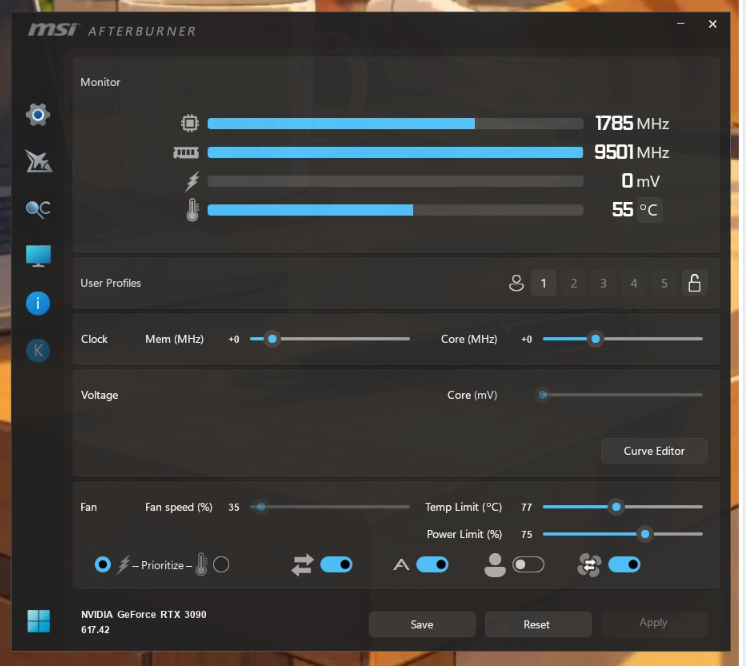
A local H3 user reports resolving reboots by reducing GPU power and Windows CPU performance limits.
 MiniMax H3
すーさん · @su_nagomi
A website promo uses Claude Code with Renoise H3 video, Seed Audio narration and Lyria music, then adds captions and edits.
 MiniMax H3
CALMDUST aka ちゃんこあ · @core_tan
A WebUI dev1.7 test compares SLA, Fast Spark, Spark and OFF on a four-step 1920×1088 H3 clip.

Enze Xie · @xieenze_jr
Sol-H3 Studio presents ComfyUI generation with native audio and reported RTX 5090 and DGX Spark timings.
 MiniMax H3
keys 🧪 · @u1tra_instinct
A TensorFold 2.8.0 studio update combines H3 Ref2VA, motion previs, audio tools and local production controls.

ダルトワ★TV · @MireilleDartois
An H3 long-form test combines four segments, Sage Attention, Easy Cache and an int8 VAE with reported resolution timings.
AI Video Explorer · @rand_shao
A linked H3 and Wan 3.0 Prime comparison uses the same clay creature, reference still and twelve prompts.

Kamimoto(かみもと) · @sep_is_heim
An H3 creator reports a fourteen-second clip in 98.8 seconds on RTX 4070, with faster reruns but weak speech quality.
 MiniMax H3
あきばあい | 秋葉原IT戦略研究所 · @akibaAIilab
A Vidubus workflow documents an FP16 video VAE workaround for reported Mac MPS failures with an int8 VAE.

akiraxx · @theeakiraxx
An H3 ComfyUI test compares twenty and eight steps, Spectrum acceleration and an AudioRefine pass for speech distortion.
デジタルクリエイティブAI · @DCAI_TW
A local Ref2VA comparison reports faster four-step Turbo generation alongside weaker reference control and visible noise.

フースイ@AIイラスト · @ai_t2i_231
A five-second H3 animation documents a conversational Codex workflow that assembled English instructions behind the scenes.
 MiniMax H3
きゅうす のAIとつれづれ · @Ai_Quse
A creator records DGX Spark memory and power during a long H3 workload, separating measurement from speed speculation.

SixteenGB · @SixteenGB
A 16 GB RTX 5070 Ti eGPU runs an H3 Ref2VA talking-cat example with int8, sparse attention and a four-step LoRA.
Feicai · @zhu185178
A six-stage short-drama tutorial compares H3 clip pricing with the time and iteration cost of finishing an entire film.
 MiniMax H3
码农暖爸 · @Delroy715
A same-seed H3 skin-rendering comparison combines two realism LoRAs, SigmaShift and a reported native 768p canvas.
 MiniMax H3
kongo jun / 混合 順 · @jun_kongo
A creator publishes a ComfyUI H3 latent-outpainting tutorial with an illustrated example and a linked video.

Hao AI Lab · @haoailab
A two-DGX-Spark 768p demo accompanies QAD-v2, eight-step audio/video sampling and two NVFP4 decoder options.
 MiniMax H3
Ueda · @megyo9
An H3 head-orbit video feeds MediaPipe triangulation, MakeHuman deformation, texture baking and VRM export.
 MiniMax H3
John · @Marmot0519
A 111-second shared film combines Comfy H3 video with several rounds of Claude-assisted caption refinement.
ジャヴァノ🍀ボカロP@初音ミク「w/39」10/12アルバムリリース · @javawock7618
An H3 R2V workflow update adds a Refer-LoRA toggle and advises disabling it for pure Ref2VA or hybrid models.
 MiniMax H3
CALMDUST aka ちゃんこあ · @core_tan
A WebUI dev1.7 test reports 2560×1440, 243 frames and six steps with FlashGen FL2V LoRA, taking 432.8 seconds.
 MiniMax H3
ダルトワ★TV · @MireilleDartois
A chained H3 test uses 22-frame latent handoffs and reports unwanted cuts and lights switching off between short segments.
Utiliser la collection
Considérez chaque exemple comme une structure réutilisable. Conservez les éléments qui contrôlent le mouvement et la continuité, puis remplacez les détails créatifs propres à la scène originale.
Parcourez une catégorie ou recherchez par sujet, technique de caméra, créateur ou modèle. Choisissez un exemple dont les mouvements et la structure correspondent à la vidéo souhaitée.
Copiez le texte publié lorsqu’il est disponible et vérifiez s’il s’agit d’un prompt complet ou d’un extrait. Pour les exemples sans prompt, étudiez la source et les conseils d’adaptation.
Insérez votre sujet et votre décor, fournissez les médias de référence nécessaires et vérifiez toutes les contraintes avant de générer.
Copiez un exemple vérifié, adaptez les détails créatifs et générez votre propre vidéo avec MiniMax H3.