Verified prompts and original sources

MiniMax H3 Prompts With Real Video Examples

Study prompts published by real creators alongside their finished MiniMax H3 videos. See how scene direction, motion, camera work, continuity, and sound fit together.

Every example links back to its original source. Copy the published prompt as written or adapt its structure to your own scene.

706 verified examples

Browse the MiniMax H3 prompt collection

Browse MiniMax H3 examples by camera technique, storyboard, animation, reference control, music, dialogue or motion graphics. Published prompts and workflow-only examples are clearly identified.

95 examples found · Showing 61–90

MiniMax H3 Storyboard & Multi-Shot Prompts

Study how creators turn a storyboard, reference grid or timed shot list into a MiniMax H3 video sequence. These examples cover scene changes, action continuity, short stories and trailers. When a prompt is published, keep its shot order and timing before replacing the characters or setting. For workflow-only examples, follow the original source to understand the reference preparation. A storyboard helps describe the intended sequence; the examples also reveal where continuity still needs review.

Rossy the Boss Nineteen Scene Cartoon video previewMiniMax H3

LAPTOP LIFESTYLE BLOGGER · @MonetizationDon

Rossy the Boss Nineteen Scene Cartoon

A cat mafia comedy develops a nineteen-scene GPT Image storyboard, then animates and assembles scenes with MiniMax H3 in PixVerse.

Prompt not publishedView details
Showa Stage Three Cut H3 Comparison comparison previewMiniMax H3

Hakushi🌈精密AIアーティスト · @FantasistaAI

Showa Stage Three Cut H3 Comparison

A stage-introduction comparison edits three ten-second H3 clips against longer Seedance and Wan takes, reporting movement limitations.

Prompt not publishedView details
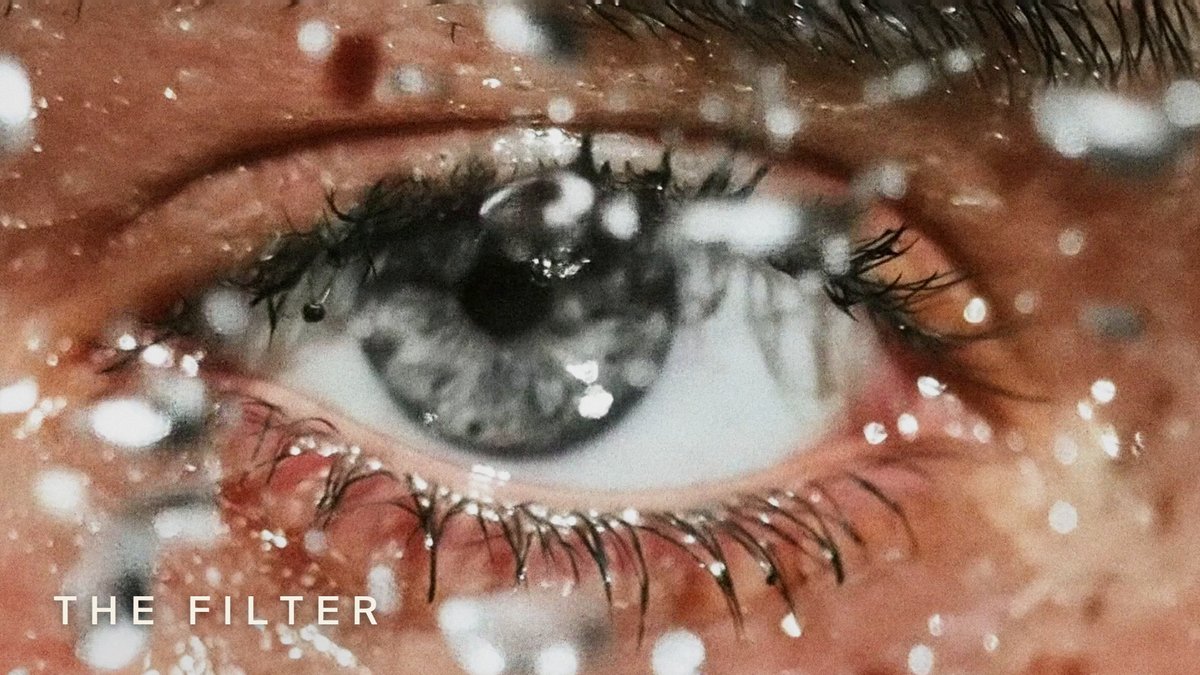
The Filter Mixed Tool Short Film previewMiniMax H3

PAPADU PAPADU · @papadupapadu

The Filter Mixed Tool Short Film

The Filter combines Midjourney imagery, Hailuo H3 video, Eleven audio and manual Premiere editing in a perception-themed film.

Prompt not publishedView details
Lucy Diner Walk Home Story Prose
MiniMax H3

FoldingEnd A.I. · @EndFolding79421

Lucy Diner Walk Home Story Prose

A complete prose prompt follows Lucy leaving a diner and sensing a watcher, using eight steps and realism LoRA strength 0.6.

View details
Yui Mutual Aid Birthday Story and Dance
MiniMax H3

アースキー|薬剤師のAI実装実験室 · @EarthGigantea

Yui Mutual Aid Birthday Story and Dance

A Yui birthday short moves from helping people to a stage dance and a closing illustration, with H3 video and voice.

Prompt not publishedView details
Orbit LoRA as a Story Motif
MiniMax H3

hvplan · @hvplan

Orbit LoRA as a Story Motif

An H3 creator assembles a short narrative around a 360 Orbit LoRA instead of presenting an isolated turntable test.

Prompt not publishedView details
Gray H3 previs appears above a finished Seedance live-action sceneMiniMax H3

たくぞー|AI動画ツール実測レビュー · @tkz_aiart

Gray Previs to Live-Action Blocking

A side-by-side workflow uses H3 gray-character previs to guide blocking and timing in a Seedance 2.5 live-action finish.

Prompt not publishedView details

Use the collection

How to Adapt MiniMax H3 Prompts

Treat each example as a reusable structure. Keep the parts that control motion and continuity, then replace the creative details that belong to the original scene.

Find the closest motion pattern

Browse a category or search by subject, camera technique, creator or model. Choose an example whose motion and structure match your intended video.

Copy the published prompt

Copy the published text when available, checking whether it is a full prompt or a fragment. For examples without a prompt, study the source and adaptation notes.

Replace scene-specific details

Swap in your own subject and setting, provide the required reference media, and review every constraint before generating.

Use a MiniMax H3 Prompt in the Video Generator

Copy a verified example, adapt the creative details, and generate your own video with MiniMax H3.

Open the video generator