MiniMax H3 Ref2VA Video Generator

Turn a set of character, product, location, or style images into one directed video. Upload up to nine references, explain what each one should control, and generate with the MiniMax H3 Ref2VA workflow online.

Up to 9 reference images5–15 second clips480P to 4K options

Upload up to 9 subject or style images. Refer to them as Image 1, Image 2, and so on in your prompt.

290 / 7000

Ready to generate

Your generated video will appear here

Reference-led creative directions

MiniMax H3 Ref2VA Ideas for Art-Directed Video

Explore the kinds of subjects, action, products, stylized worlds, and locations you can anchor with visual references, then bring your own images to the generator above.

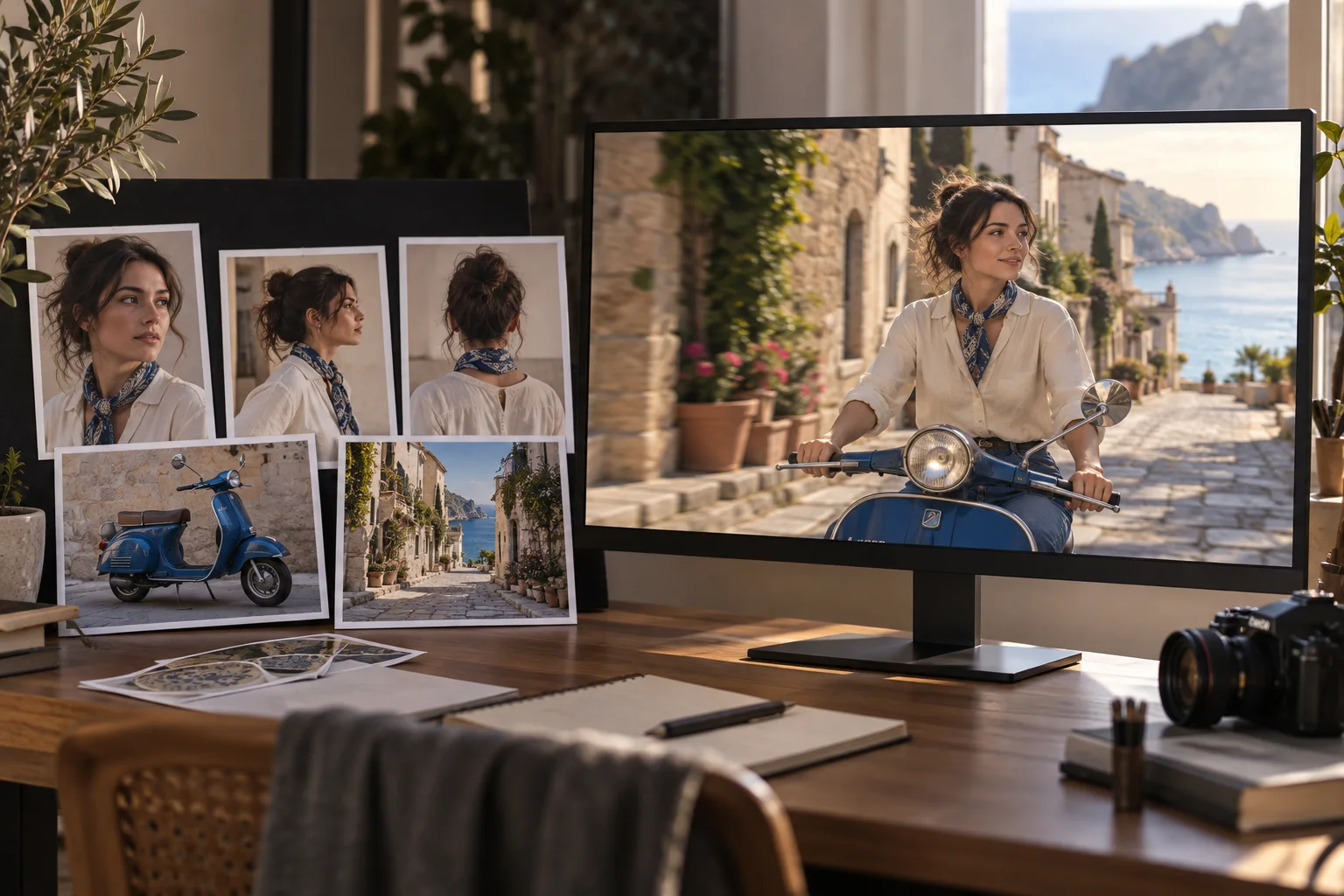
Reference portraits, a scooter, and a coastal street combined into one cinematic video frame

What Is MiniMax H3 Ref2VA?

MiniMax H3 Ref2VA is the reference-to-audio-video variant of MiniMax H3. The model can condition a new video on multimodal context; this online workflow focuses on its image-reference path, accepting up to nine images for subjects, objects, settings, and visual style. The MiniMax H3 task is available in the generator on this page.

  • Begin with visual evidence
    Upload separate views of a person, product, place, or art direction instead of describing every detail from memory.
  • Generate a new shot
    Write the action and camera direction while the references anchor the look of the final video.
  • Use the live H3 task
    Set duration, aspect ratio, and resolution with the controls currently exposed by the generator.

MiniMax H3 Ref2VA Turns Separate References Into One Shot

The strongest workflow gives every image a clear job. Use complementary views and name their roles so the generated scene has better visual anchors.

Carry a Character Across Angles and Action

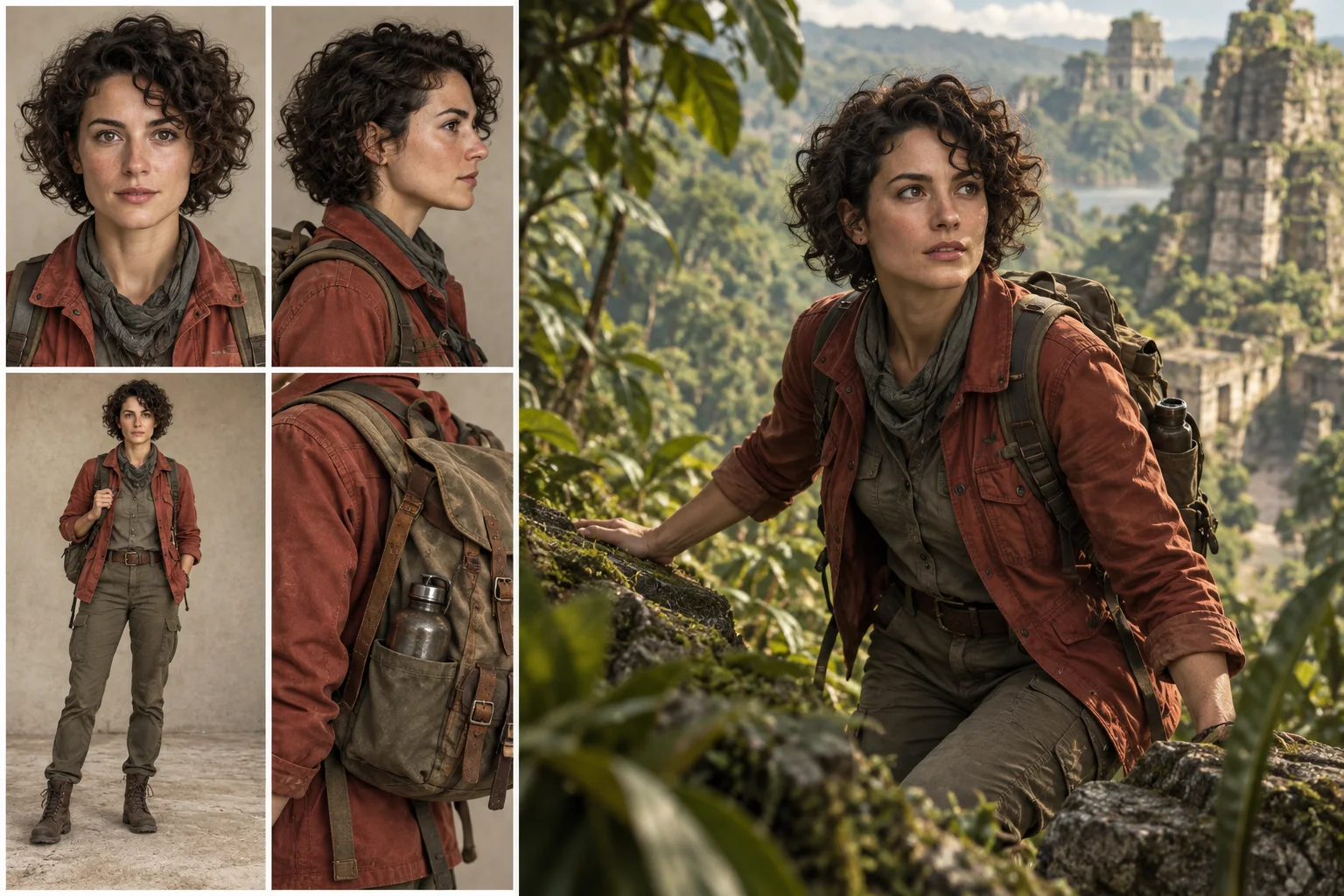
Upload portraits, profiles, full-body views, and wardrobe details of the same character, then describe the movement and camera path. The references give the model more evidence for the face, silhouette, clothing, and accessories you want to retain in a dynamic shot.

  • Use clear, compatible views of the same subject
  • Describe expression, body action, and camera movement separately
Carry a Character Across Angles and Action

Combine Product, Setting, and Style Anchors

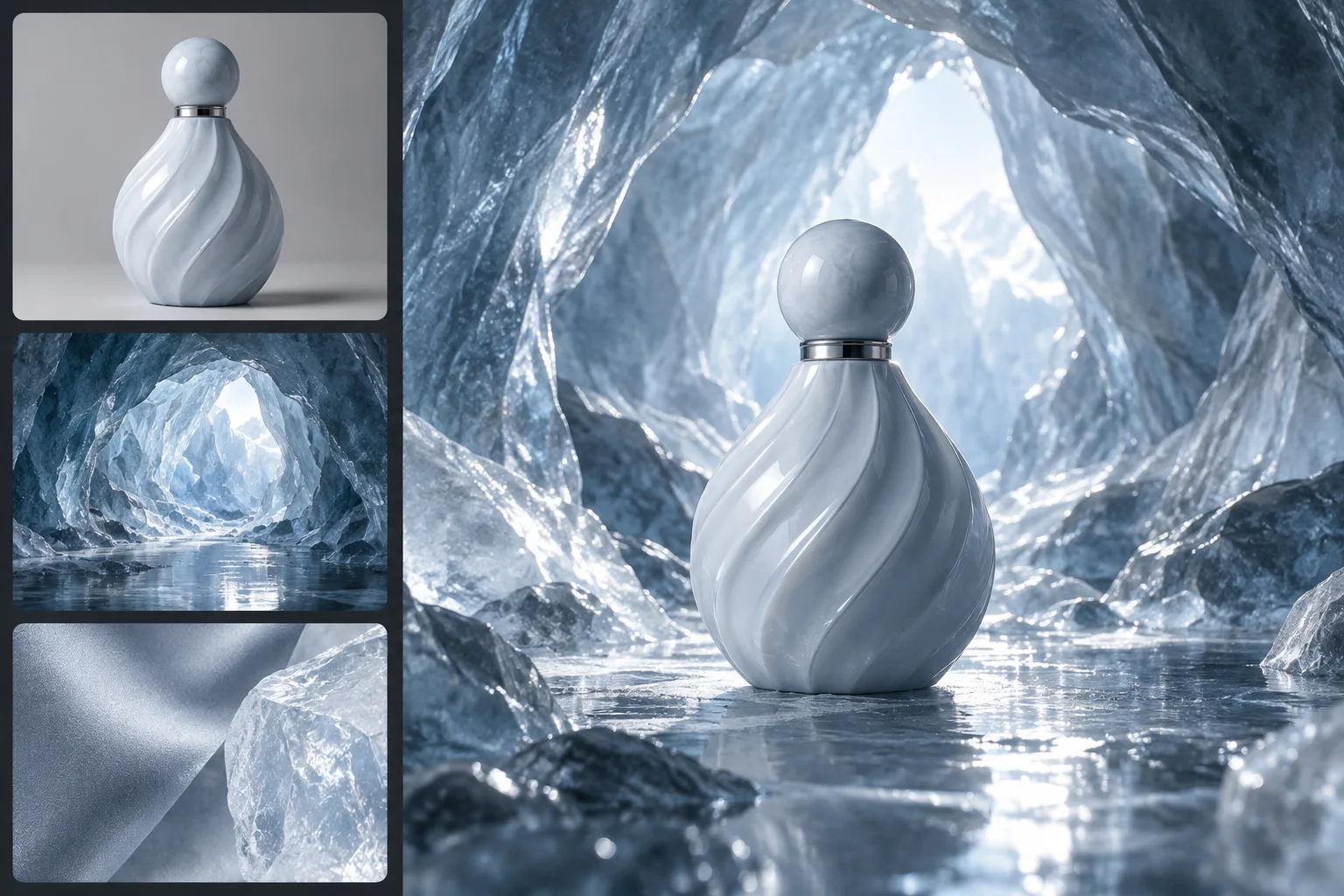
Provide a clean product image, a location reference, and a material or lighting reference, then state how they belong together. Ref2VA can use those inputs as a shared visual brief for product films, campaign concepts, and designed environments.

  • Keep the hero object unobstructed in at least one image
  • Separate subject references from mood and environment references
Combine Product, Setting, and Style Anchors

Assign Each Reference a Specific Role in the Prompt

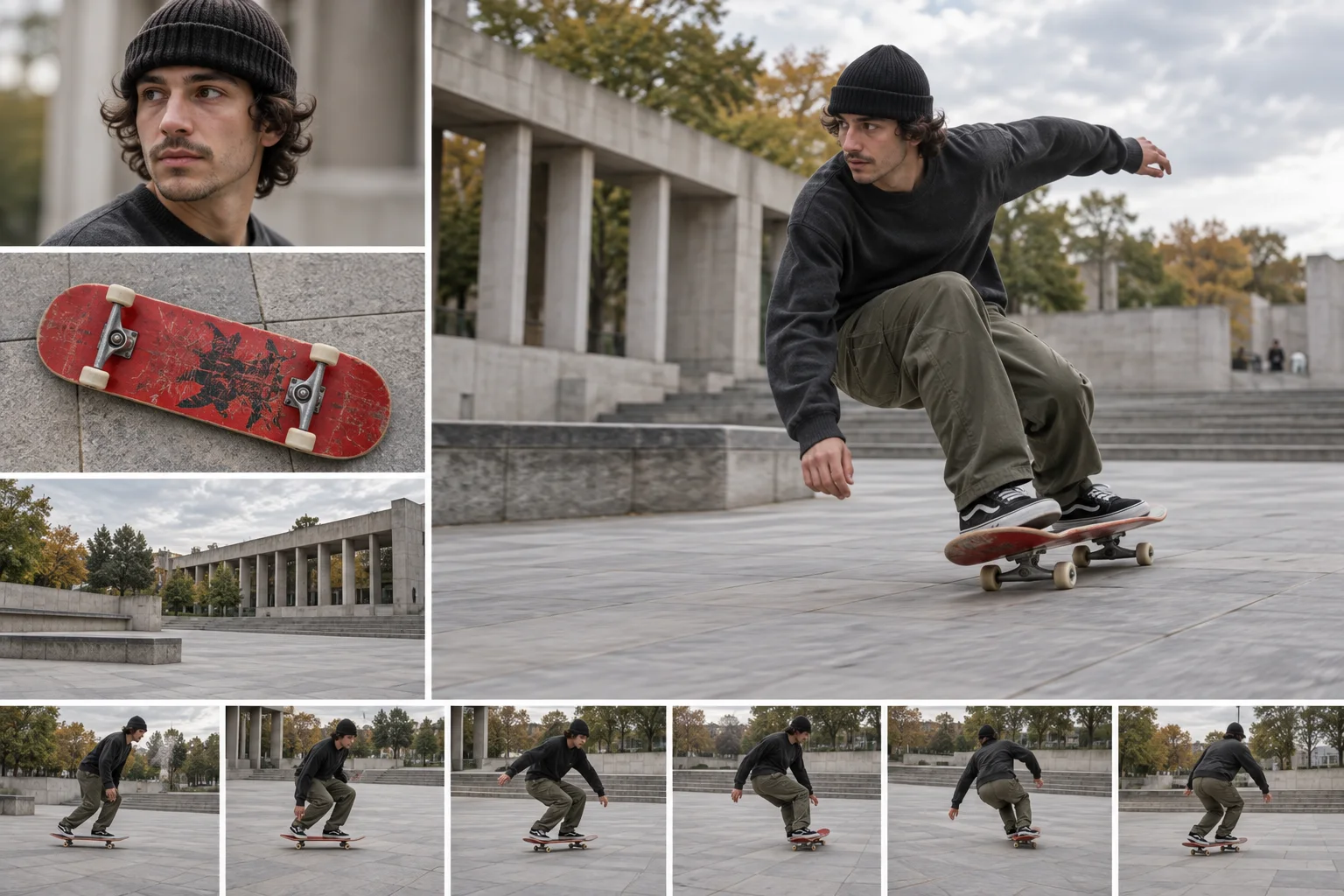
Refer to uploaded images by their order and explain what to preserve from each one: identity, wardrobe, object design, location, composition, or motion intent. Clear roles reduce conflicts and leave the remaining prompt free to direct the new action.

  • Write explicit instructions such as ‘use Image 1 for the character’
  • Resolve conflicting details instead of asking the model to guess
Assign Each Reference a Specific Role in the Prompt

Build a MiniMax H3 Ref2VA Shot From Visual Anchors

Start with references that agree on the important details, then direct the new shot in plain language.

01

Select MiniMax H3

Keep MiniMax H3 selected in the model menu; this page opens its Reference Images workflow by default.

02

Upload up to nine images

Add the clearest character, object, setting, and style references you need. Remove redundant or contradictory images.

03

Describe roles and motion

Name what each image controls, then specify the subject action, camera movement, environment, pacing, and final beat.

04

Choose settings and generate

Set the duration, aspect ratio, and resolution, generate the clip, then refine references or wording after reviewing continuity.

MiniMax H3 Ref2VA Keeps Creative Direction Visually Grounded

Use multiple references when a shot must preserve recognizable visual decisions while introducing new movement, framing, or context.

Character-led scenes

Anchor face, hair, costume, and accessories while directing a new performance and camera move.

Product campaign shots

Keep product form and materials recognizable while placing the object inside a designed environment.

Location continuity

Reference architecture, landscape, and lighting so a new action still belongs to the intended place.

Style-guided motion

Use artwork or a visual board to guide color, texture, rendering language, and atmosphere.

Storyboard development

Combine character and scene references to explore a shot before committing to a larger production.

World-building clips

Bring recurring props, environments, and art direction into one coherent fantasy or branded world.

MiniMax H3 Ref2VA Questions About Inputs and Control

Practical answers about reference limits, prompting, output settings, and the workflow available on this page.

1

Is Ref2VA an official MiniMax H3 model variant?

Yes. MiniMax identifies H3-Base-Ref2VA as its reference-to-audio-video variant for generating video and audio from text plus reference media. This page uses the available MiniMax H3 task's image-reference mode.

2

How many reference images can I upload?

You can upload up to nine images in the MiniMax H3 Reference Images mode shown here. Use fewer when every reference does not add a distinct, useful detail.

3

What kinds of images work best?

Use sharp, unobstructed images with compatible identity, clothing, object design, or art direction. Multiple angles help when the shot reveals parts of a subject that one portrait cannot show.

4

How should I write a MiniMax H3 reference-to-video prompt?

First assign a role to each uploaded image, then describe the new shot in order: subject action, camera movement, setting, sound or dialogue, and the ending state.

5

Can Ref2VA guarantee perfect character consistency?

No. Reference images provide stronger identity and design guidance, but they do not guarantee exact identity in every frame or across separate generations. Clear, compatible references improve the odds.

6

Can I upload video or audio references on this page?

Yes. Switch to Multimodal Reference to combine image, video, and audio inputs. Reference Images remains the default workflow on this page.

7

What output settings are available?

The current MiniMax H3 task offers 5–15 second clips, common landscape, portrait, square, and ultrawide ratios, plus 480P, 768P, 2K, and 4K choices. The live generator shows the current credit cost before submission.

Turn Your References Into a MiniMax H3 Ref2VA Video

Gather the views that define your subject and scene, assign each one a role, and direct a new shot with MiniMax H3.