

CALMDUST aka ちゃんこあ · @core_tan
H3 WebUI Depth Video Export for PreVids
An H3 WebUI author reports direct depth-video export for Seedance PreVids and discusses blocking or line art for 2D references.
Prompt not publishedView details
Verified prompts and original sources
Study prompts published by real creators alongside their finished MiniMax H3 videos. See how scene direction, motion, camera work, continuity, and sound fit together.
Every example links back to its original source. Copy the published prompt as written or adapt its structure to your own scene.
706 verified examples
Browse MiniMax H3 examples by camera technique, storyboard, animation, reference control, music, dialogue or motion graphics. Published prompts and workflow-only examples are clearly identified.
214 examples found · Showing 211–214
Browse supporting MiniMax H3 workflows for ComfyUI, local inference, acceleration, video continuation and post-production. These entries are workflow and comparison examples rather than a library of copyable prompts. Follow the original sources for author-published settings and tooling, and compare quality as well as reported runtime. Hardware tests depend on their specific setup. Keep the same input and generation conditions when evaluating a change, and check whether the source provides enough detail to reproduce it.
CALMDUST aka ちゃんこあ · @core_tan
An H3 WebUI author reports direct depth-video export for Seedance PreVids and discusses blocking or line art for 2D references.
 MiniMax H3
宇佐田よし@AIイラスト · @usadayoshi2sbc
A forty-second seaside character exercise exceeds the usual fifteen-second clip length while the creator reports missing sound.
 MiniMax H3 (RefMod preparation)
LinacoWSL · @breath_in_code
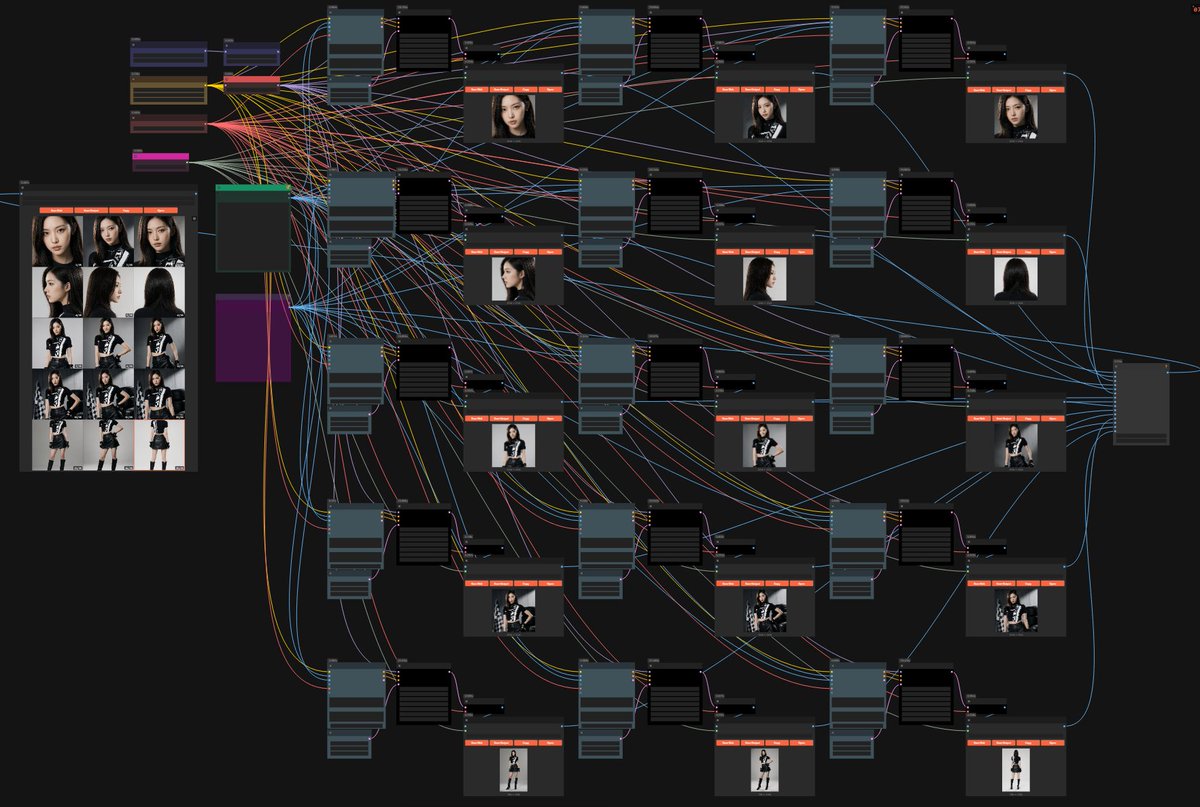
A ComfyUI preparation graph uses Qwen 2.1 to save fifteen named images into a chosen folder for H3 RefMod use.
 MiniMax H3
オーディオ目玉親父 · @Messa_Audio
Four H3 screenshots compare BF16 forty, thirty and twenty steps, plus a separate 5080 twenty-step SageAttention run.
Use the collection
Treat each example as a reusable structure. Keep the parts that control motion and continuity, then replace the creative details that belong to the original scene.
Browse a category or search by subject, camera technique, creator or model. Choose an example whose motion and structure match your intended video.
Copy the published text when available, checking whether it is a full prompt or a fragment. For examples without a prompt, study the source and adaptation notes.
Swap in your own subject and setting, provide the required reference media, and review every constraint before generating.
Copy a verified example, adapt the creative details, and generate your own video with MiniMax H3.