
Prompt2Rig connects generated video to a rigged 3D character. A prompt first becomes a clip through a hosted video model, then local motion-estimation tools recover body and hand movement for a Mixamo rig. Its useful deliverable is an animated GLB you can inspect or render elsewhere, rather than only an attractive source video.
A community demonstration dated October 20, 2026 introduced the workflow. This guide checks the original repository, server, and local worker files on October 23. We reviewed the published setup; H3Vid has not installed the worker, measured tracking quality, or run paid video generation for this article.
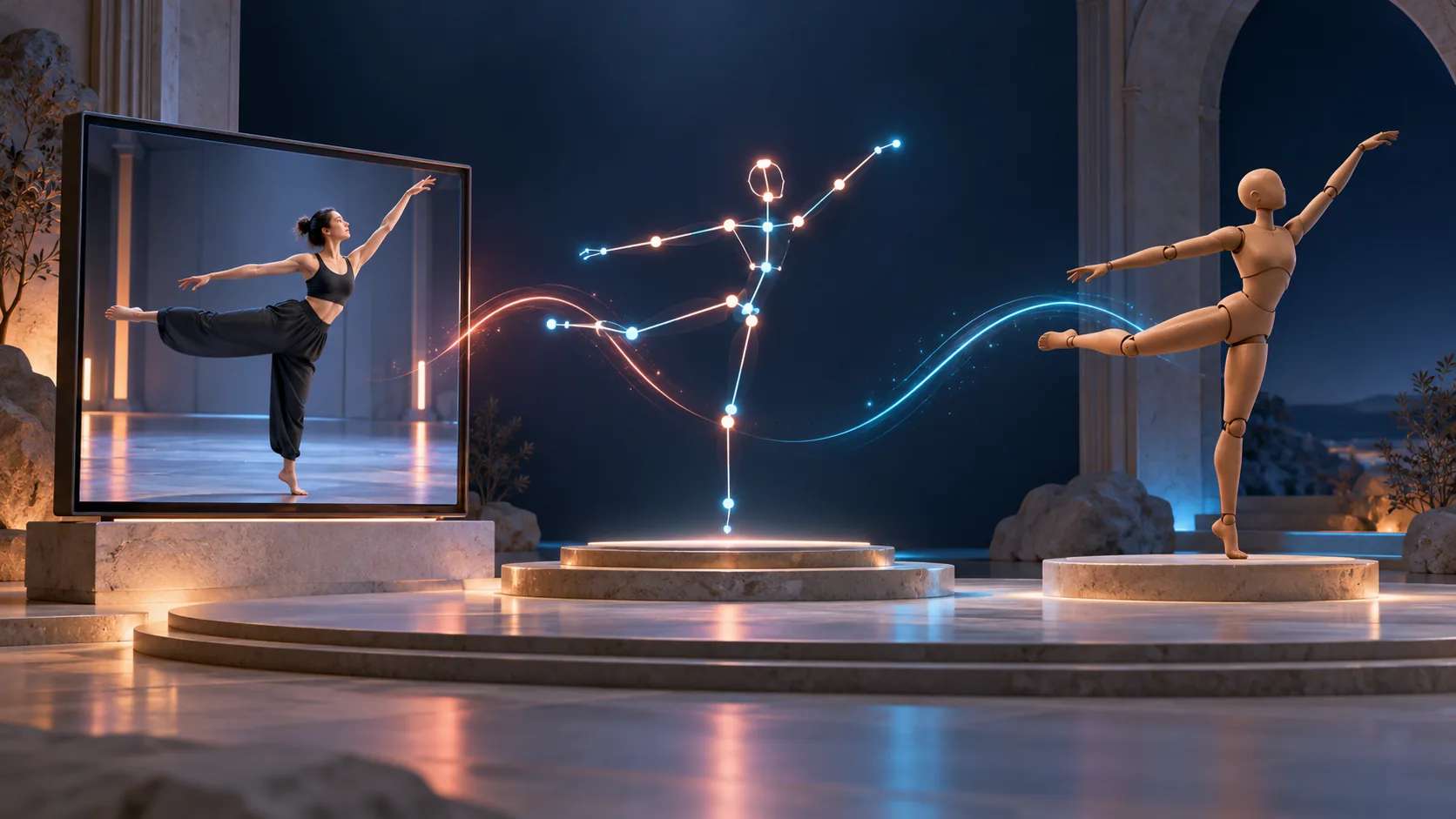
Know which part runs where
The workflow has several distinct stages. H3 Max Turbo or FLUX 3 Max generates the performer clip on fal. MediaPipe supplies an immediate browser preview. A local GVHMR worker processes the complete clip for body rotations and root movement; optional WiLoR adds more detailed hand tracking.
| Stage | Execution location | What to inspect |
|---|---|---|
| Source video | Hosted generation | Does the performer actually do the motion? |
| Live preview | Browser | Is the subject visible and roughly tracked? |
| HQ body pass | Your GPU | Root trajectory, feet, limbs, and rotation |
| Hand pass | Your GPU, with fallback | Wrist alignment and finger behavior |
| GLB export | Application output | Rig, animation, timing, and source record |
This means the project is partly local. Having a local motion worker does not remove the hosted video call or its charge. Likewise, seeing the live mannequin move does not mean the HQ pass has finished. Evaluate the saved take after the higher-quality result replaces the preview.
Start the web application
The documented entry requirements are Node 18 or later and a fal API key. Clone the repository, copy .env.example to .env, add the key, and launch node server.mjs. The application runs at http://localhost:5177; its server proxies provider calls.
Try a supplied motion preset before writing a complicated sequence. The default performer is presented against a simple background with a static camera, which gives pose estimation a cleaner source. Select the video model explicitly and record it with your take so later comparisons do not mix different generation paths.
For your first original prompt, keep one performer facing the camera with the whole body visible. A slow side step followed by a clearly held arm pose is a more useful tracking diagnostic than a fast spinning acrobatic routine. This is a suggested test, not a motion we verified in the application.
Add the HQ body and hand worker
The published HQ setup targets Windows with an NVIDIA GPU, uv, and FFmpeg on the path. Run hq\setup.ps1 to prepare its environment and download the listed checkpoints. It also needs the separately distributed SMPL-X body model: obtain the documented NPZ package and put SMPLX_NEUTRAL.npz in hq/body_models/smplx/.
Then start hq\worker.py using the environment created by the setup script. The README's command uses hq\.venv\Scripts\python; using that interpreter keeps the worker attached to its installed dependencies. Its documented local port is 5178, alongside the web server on 5177.
Detailed fingers require the MANO hand model and the supplied setup_hands.py preparation step. Without it, the application can fall back to MediaPipe Hands. That is a different tracking path, so write down whether the optional hand assets were installed when reviewing a gesture or comparing two takes.
The repository's application license does not replace the conditions attached to separately downloaded body and hand assets. Check those source terms before distributing a workflow or using its outputs commercially. The setup guide links their registration pages rather than bundling the files into the project.
Choose motions that can be recovered
The source clip is a single camera view. Hidden limbs, crossed arms, spins, and floor work can make the intended 3D motion ambiguous even if the generated video looks convincing. Keep hands away from the torso when hand shape matters, and avoid framing that cuts off feet needed for root-motion assessment.
Inspect the generated performer before blaming the retargeter. If an arm changes length in the source or a foot disappears behind another leg, no downstream rig mapping can recover a uniquely correct motion from that missing information. A simpler source prompt can be more effective than changing every tracking parameter.
Load a Mixamo FBX or GLB in a T-pose, or begin with a bundled example character. Compare the character's stance, shoulder orientation, and feet against the source. Different body proportions can make a technically transferred animation look awkward; evaluate the target character as well as the estimated skeleton.
Export and continue in a 3D tool
The take's GLB export includes the skinned character and animation. The application also keeps a copy and the source clip URL under takes/. Preserve the original video separately if you need a durable comparison: a provider URL is not a substitute for a maintained project asset.
The repository supplies a Blender rendering script for a studio presentation and optional side-by-side source display. Open the exported GLB and inspect duration, root movement, hand behavior, and floor contact before building a larger scene around it.
Stream mode chains new clips from the previous final frame and uses idle clips between prompts. It is useful for exploring continuous performance, but it does not turn the system into measured real-time motion capture. The README's RTX 4090 timings describe the author's configuration. For the preceding generation step, see H3 motion control; H3Vid's video tools do not currently provide Prompt2Rig's skeleton recovery or GLB export.