
Utopai X is Utopai Studios' video generation model, post-trained on MiniMax H3 and released inside PAI on September 30, 2026. It debuted at number two on Artificial Analysis' text-to-video-with-audio leaderboard. For creators, the key distinction is the combination of an H3-based model with a filmmaking workspace: Utopai X generates footage, while PAI organizes the production around it. Artificial Analysis' launch announcement confirms the model relationship and release.
Quick answer: Choose Utopai X through PAI when you want to develop scenes and compare takes within a production project. If you mainly need to generate a standalone clip or animate reference material, a direct MiniMax H3 workflow is another starting point. H3Vid currently offers MiniMax H3 workflows; it does not offer Utopai X.

Utopai X, MiniMax H3, and PAI: how they fit together
The names describe different parts of the creative process:
| Name | What it refers to | What that means for you |
|---|---|---|
| MiniMax H3 | The foundation model on which Utopai X was post-trained | Shared ancestry does not make the two models interchangeable |
| Utopai X | Utopai Studios' H3-based video model | Select it for footage generation inside PAI |
| PAI | Production Assistive Intelligence, Utopai's production platform | The workspace around your script, assets, shots, and revisions |
Post-training means further training an existing model. It does not establish that every setting, input mode, or limit from the original H3 carries over. Check the controls available for Utopai X in PAI rather than applying an H3 tutorial unchanged.
Utopai's September 30 introduction describes a workflow in which filmmakers develop a shot, select Utopai X, compare takes, retain earlier versions, and move chosen footage into a timeline. The studio also highlights reflections, caustics, and spatial consistency as model strengths. These are the studio's capability claims; this guide does not include an independent generation test.
What its leaderboard ranking actually tells you
Artificial Analysis evaluates text-to-video with audio through blind comparisons of outputs from the same prompt. Its AA-Video-T2V v2.0 leaderboard, checked October 2, 2026, lists Utopai X second with an Elo score of 1,150, ahead of MiniMax H3 (768p) at 1,138.
That is useful evidence of viewer preference on this particular task. It does not measure every part of filmmaking, such as keeping a costume identical across a sequence or making a precise revision to an approved take. Utopai X's reported rank range is 1–3, and its score interval overlaps neighboring models. Treat second place as a dated result rather than a permanent quality guarantee.
For a dialogue scene, watch whether expression, speech, and movement support the performance. For a product shot, inspect reflections and object shape during camera motion. For a narrative sequence, compare adjacent shots for continuity. Those priorities should decide whether a result serves your project.
Where to use Utopai X
Start at the official PAI web app. Utopai's introduction explains that project context connects scripts, characters, locations, objects, and visual references, with the filmmaker deciding what to keep or change.
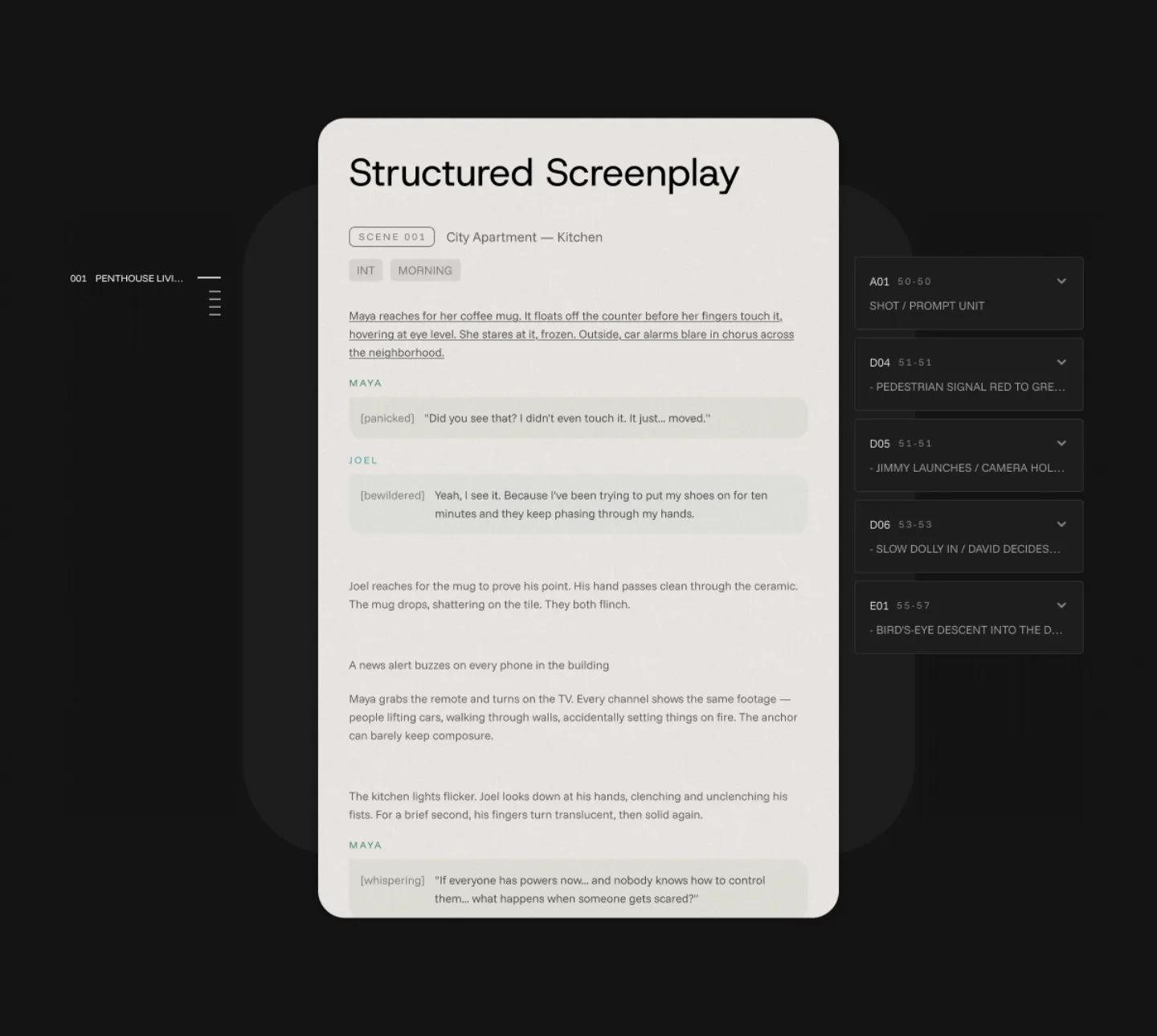
A practical way to begin is to prepare a short scene with one clear dramatic beat, define the character and location, then choose a shot to generate. Review that take before expanding the scene. This keeps your first experiment focused on a creative decision rather than attempting an entire film at once.
The current Artificial Analysis model listing says there is no public Utopai X API. Access to other PAI tools should not be read as access to this specific model outside the web platform.
Utopai X pricing: budget for takes, not just runtime
The official PAI pricing page, checked October 2, 2026, lists Utopai X at 93 credits per second at 1080p. Monthly billing is:
| PAI plan | Monthly price in USD | Included credits |
|---|---|---|
| Basic | $15 | 1,000 |
| Plus | $49 | 3,500 |
| Pro | $129 | 10,000 |
| Ultra | $379 | 35,000 |
At that listed rate, a five-second take consumes 465 credits and a ten-second take consumes 930. Three five-second takes total 1,395 credits, exceeding Basic's included allocation before other project work.
Use those figures as credit arithmetic, not a promise of supported clip lengths or a fixed cash price per take. Your subscription also covers a workspace, and credits may go toward other operations. The page lists a 1,000-credit top-up for $15; review the app's generation quote before spending.
PAI also advertises 4K export and separately lists 4K upscaling. Those platform features do not establish native 4K Utopai X generation: its published credit row specifies 1080p.
Utopai X vs MiniMax H3: which workflow should you start with?
Choose according to the work you need to organize:
- A short film or recurring narrative scene: Consider PAI with Utopai X when scripts, assets, shot versions, and creative decisions need to stay connected. Budget for alternate takes and judge the resulting sequence yourself.
- A standalone clip or visual idea: Start with a MiniMax H3 online generator when a focused prompt-to-video workflow fits the task.
- A character or motion reference: Explore the MiniMax H3 reference-to-video workflow when supplied media should guide the result.
- A local node-based workflow: Read the MiniMax H3 ComfyUI guide if you want to manage model files and generation graphs yourself.
The useful comparison is whether the workspace helps you finish your scene. A higher arena score alone cannot tell you how many attempts your shot will need, whether a revision will preserve an approved detail, or how easily the footage will cut together.
Frequently asked questions
Is Utopai X another name for MiniMax H3?
No. It is a distinct model post-trained on MiniMax H3 by Utopai Studios. PAI is the platform through which it is offered.
When was Utopai X released?
Artificial Analysis announced its launch inside PAI on September 30, 2026. That date refers to Utopai X, not the original launch of the PAI platform.
Can I use Utopai X on H3Vid?
No. For the model described here, use PAI. You can use H3Vid's current MiniMax H3 generation workflows as a separate option.
Is Utopai X better than MiniMax H3?
It ranked higher on the checked text-to-video-with-audio leaderboard. Whether it is better for your work depends on the shot, revision needs, budget, and production workflow; this article is a model and access guide rather than a head-to-head review.