
Choosing a MiniMax H3 service starts with the deliverable: a product shot, a scene inside a film project, a speaking portrait, a reference-driven clip, or an interactive video session. These need different inputs and have different bills. An H3-based model, a provider's acceleration tier, and a production workspace are separate choices.
This guide compares eight hosted offerings by access, input controls, delivery, and pricing. Each section explains the provider-specific API and billing details that affect that choice. Public documentation was reviewed on October 26, 2026; older price observations are dated where retained. We have not run a controlled generation comparison or verified paid invoices for these services. Vendor evaluations and selected examples are identified as such.

Choose the workflow before comparing prices
| Offering | What you are choosing | Access | Main decision |
|---|---|---|---|
| Boreal-H3 | Creatify's advertising-focused H3 derivative | Creatify Model Playground | Product identity, presenter continuity, and shot control |
| Utopai X in PAI | An H3-based model inside a production workspace | PAI web app | Scripts, assets, shot versions, and a film timeline |
| HeyGen Video | H3-based scene generation with sound | HeyGen API or fal | New scenes, rather than a recurring avatar presentation |
| Pruna Avatar | A portrait animated to uploaded speech or a script | Pruna API; partner schemas vary | An approved soundtrack determines performance and duration |
| Pruna Reference | New footage conditioned on visual references | Pruna predictions API | Reference roles, soft endpoint frames, and input charges |
| UlazAI H3 Lite | A provider-named distilled H3 build | UlazAI Video Studio and named API routes | Lower credit rate with narrower reference support |
| ai& video | Hosted H3 with advertised Fast and Quality tiers | Browser and Videos API | Actual catalog availability versus launch advertising |
| fal H3 Max Director | A continuing interactive video session | fal Worlds; WMA over WebRTC | Live direction and session billing rather than a queued MP4 |
For a standalone clip on this website, use MiniMax H3 online or Ref2VA. H3Vid does not currently integrate the eight named offerings in this table. If you need local model files and graph control, use the separate ComfyUI guide.
What the advertised rates actually buy
These rates use different billing units. USD output rates exclude subscriptions and additional inputs unless stated. UlazAI and PAI credits belong to their own services and cannot be compared as if one credit had the same cash value everywhere.
| Offering | Published rate or dated observation | Cost that is easy to miss |
|---|---|---|
| Boreal-H3 | 768P $0.04/s; 1088P $0.12/s; 2K $0.26/s | Playground and plan terms; retries |
| Utopai X | PAI listed 93 credits/s at 1080p on October 2 | Subscription allocation, top-ups, and other project operations |
| HeyGen Video through fal | Through October 31: 480p/768p $0.01/s; 1080p/2K $0.03/s | Regular fal rates are $0.02/$0.06; direct HeyGen has separate pricing |
| Pruna Avatar | $0.02/s at 480p; $0.04/s at 768p | Higher-resolution profiles add upscaling; speech sets length |
| Pruna Reference | Cost-mode output $0.015/s at 480p or $0.025/s at 768p | Image, video, and audio reference charges plus optional upscaling |
| UlazAI Lite | 6 credits/s through 2K; 30 credits/s at 4K in the October 16 review | Credit-package price and the selected model's current quote |
| ai& video | Fast launch advertisement $0.0125/s; public catalog observation $0.055/s at 768p | Advertised tiers are not proof of a selectable Fast API identity |
| fal Director | Contract lists $0.052/generated second through October 31, then $0.08 | 60-second minimum; 1080p multiplier; session usage |
Use the linked provider documents in each section for the applicable contract. A five-second Reference job with paid inputs, a sixty-second avatar performance, and a Director session floor are different purchases. The lowest output-second number does not identify the cheapest completed deliverable.
Boreal-H3: advertising shots through Creatify
Boreal-H3 is Creatify's advertising-focused model post-trained on MiniMax H3. The technical report describes the relationship; the model page provides access, controls, and rates. Earlier Boreal and Boreal-H3 are separate offerings, so an older Boreal quote does not establish the H3 derivative's price.
The practical advertising question is whether a product's packaging and a presenter's identity survive the requested action. A product reveal needs the bottle shape, cap, and label to remain recognizable through rotation and handling. A recurring campaign presenter needs continuity across different hooks and shots. A demonstration needs the visible action and outcome specified in the brief. Those are reasons to evaluate this specialization; they are not results from our own test.

Access and input control
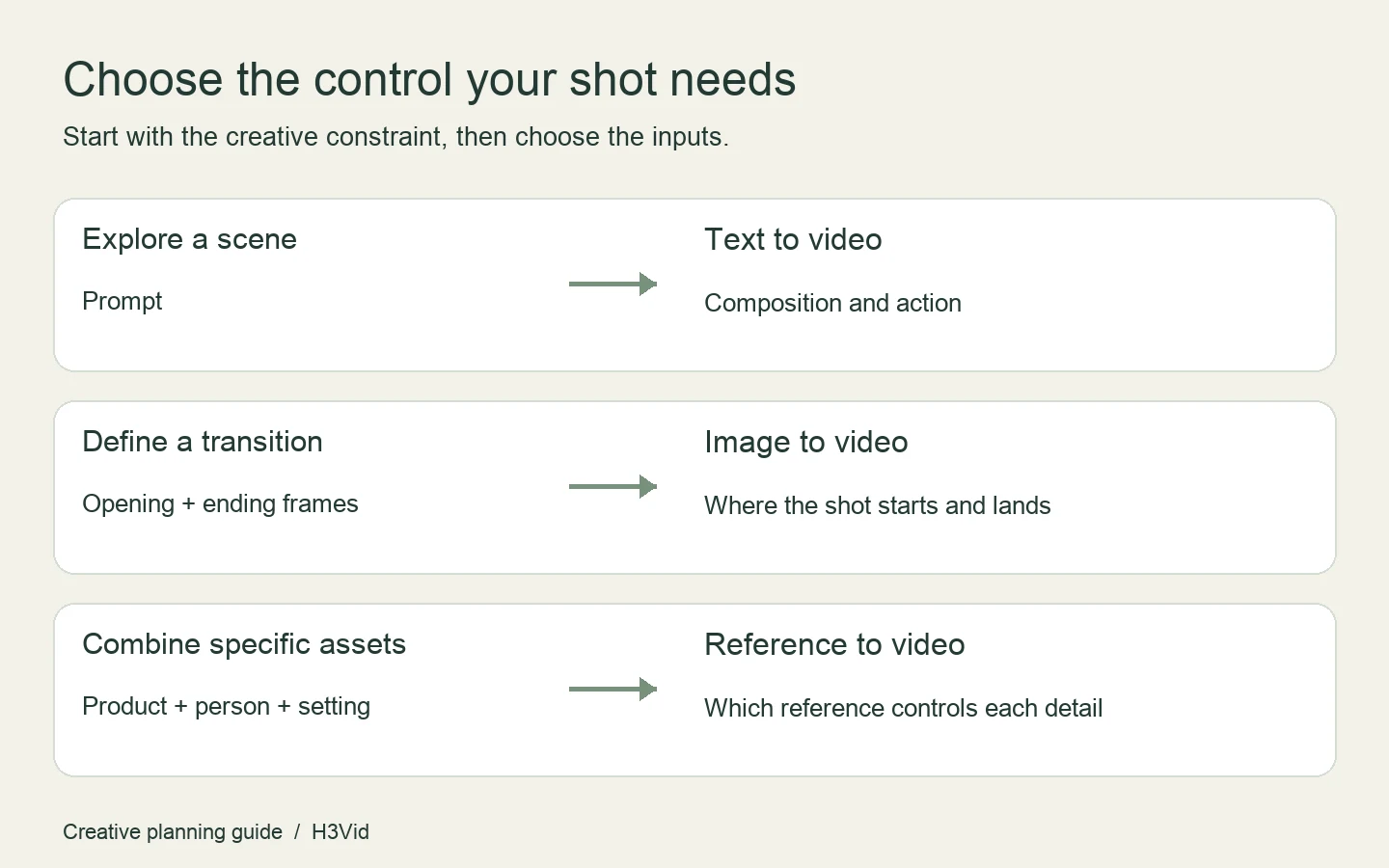
Start in Creatify's Model Playground. The model page describes text-to-video, image-to-video with an optional ending frame, and reference-to-video with up to nine images, three videos, and three audio clips. Choose endpoint frames when the opening composition and destination matter; use references when separate sources define the product, person, environment, or voice.
Rates and the limits of vendor evidence
The model page lists $0.04 per output second at 768P, $0.12 at 1088P, and $0.26 at 2K. Ten output seconds therefore cost $0.40, $1.20, or $2.60 at those listed rates, before other plan charges. The technical report describes the 768P rate as launch pricing; confirm the account quote before purchasing.
Creatify reports brief success increasing from 28% to 50% and identity match from 83% to 94% in its controlled evaluation. These compare the base with Creatify's advertising workflow, rather than establishing a universal model ranking. They do not measure ad conversions or guarantee readable packaging. At $0.40 per ten-second attempt, three attempts consume $1.20 in generation charges even if only one is approved.
Utopai X: the model inside PAI's film workspace
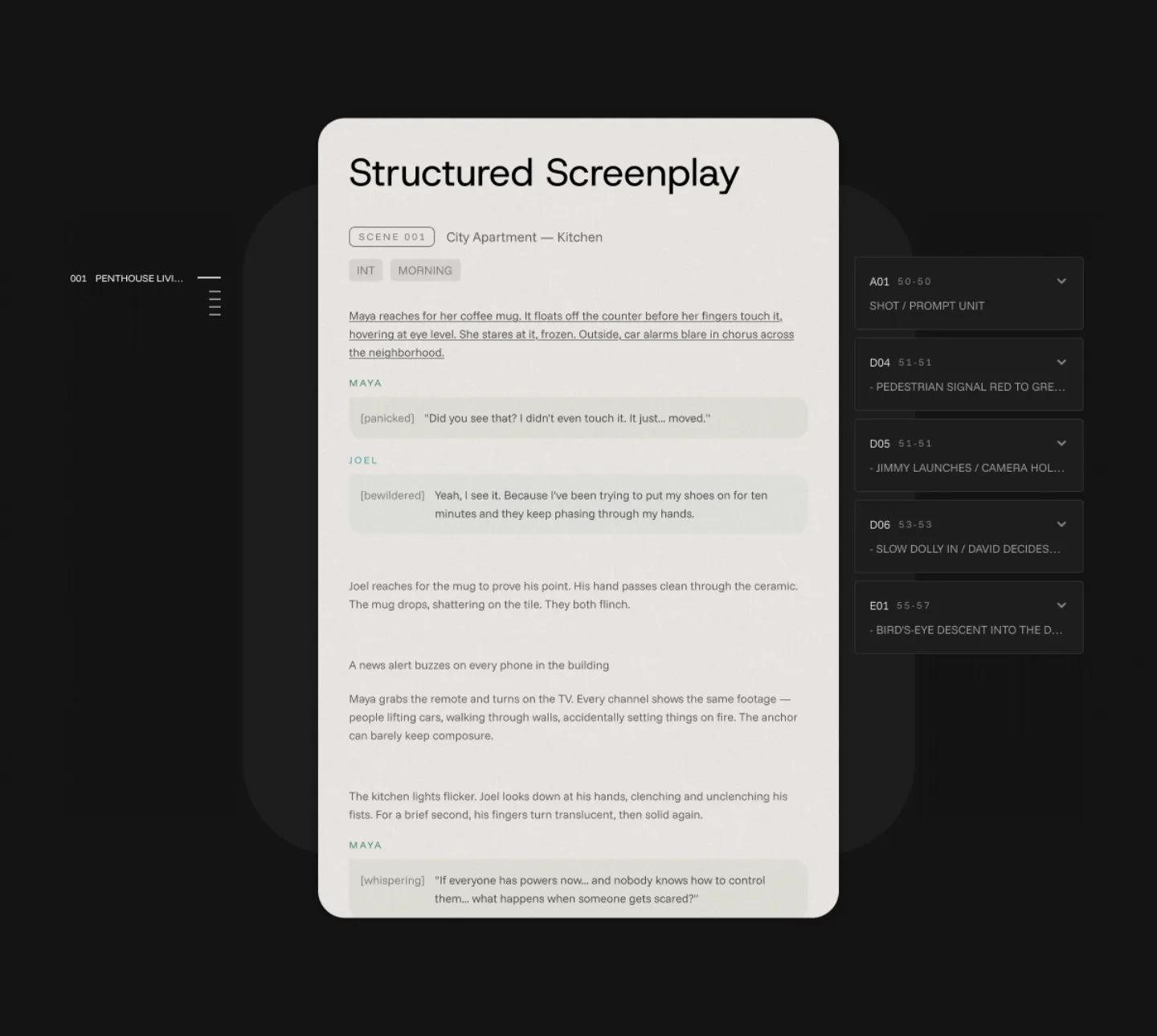
Utopai X is Utopai Studios' H3-based video model; PAI, or Production Assistive Intelligence, is the surrounding production platform. The studio's introduction and PAI page describe scripts, characters, locations, references, shot versions, and timeline work. Access starts at the PAI web app.

Select this route when you need a project to retain the relationship between a screenplay, its assets, alternate takes, and chosen shots. A direct clip generator addresses a smaller part of that production process. The studio's claims about reflections, caustics, and spatial consistency remain vendor claims here; the workspace alone does not guarantee continuity.
Credit budget and access boundaries
Our October 2 review recorded 93 PAI credits per generated second at 1080p. The monthly plans then listed Basic at $15 for 1,000 credits, Plus at $49 for 3,500, Pro at $129 for 10,000, and Ultra at $379 for 35,000. A 1,000-credit top-up was $15. Treat these as dated observations and check the current PAI plan and generation quote.
At 93 credits per second, a five-second take consumes 465 credits; three consume 1,395, above that Basic allocation. This is credit arithmetic, not a promise about accepted duration choices or a fixed dollar cost per take. Other project work can also consume credits. PAI's advertised 4K export and separate upscaling do not establish native 4K Utopai X generation; the observed model rate specified 1080p.
The earlier Artificial Analysis model listing described no public Utopai X API. Do not infer an external model endpoint from PAI web access. Its second-place launch result on the text-to-video-with-audio leaderboard was a dated viewer-preference result, not a current rank or a test of shot revision and filmmaking continuity. Check the live leaderboard if ranking affects your decision.
HeyGen Video: scene generation versus avatar presentation
HeyGen Video is a scene-generation model post-trained on MiniMax H3. It generates visuals and sound together. HeyGen's avatar engines animate an existing look from speech or a script. Resolve that distinction before selecting an API: a new scene and a recurring spokesperson have different input contracts. Our existing HeyGen Video page provides the separate overview.
Direct API and fal access
The direct API uses model heygen-video-1, submitted to POST /v3/models/videos, with status retrieved from GET /v3/models/videos/{video_id}. It is asynchronous and returns a signed download URL for completed jobs. Use the current API-key and account requirements in the provider's documentation.
Documented modes are text_to_video, image_to_video, and reference_to_video. The image route starts from the supplied frame; reference mode guides a newly composed scene and requires an image or video. Audio alone does not satisfy that visual requirement. Output choices cover 480p, 768p, 1080p, and 2K with generated audio. The October 26 direct API documentation allows five-to-thirty-second text/image requests using turbo or quality; reference mode, ultraquality, disabled, and MCP remain limited to five-to-fifteen seconds. Do not assume a partner endpoint has adopted the direct API's longer-duration contract.
The fal text endpoint, image endpoint, and reference endpoint are a separately priced access route. The October 26 contract lists a promotion through October 31, 2026: $0.01 per second at 480p/768p and $0.03 at 1080p/2K, with regular rates of $0.02/$0.06. Five requested seconds imply $0.05/$0.15 during that promotion, or $0.10/$0.30 at regular rates. Confirm the active quote rather than carrying an expired discount into a later budget. For a direct account, consult HeyGen API pricing; an avatar subscription or older Video Agent price does not establish this scene model's rate.
Settings that change a comparison
The reviewed fal schema defaults prompt enhancement to turbo; direct HeyGen documentation describes quality and additionally documents automatic duration. An auto duration value should not be copied into a schema that accepts integers only. Preserve the actual enhancement and duration settings when comparing results.
HeyGen identifies long text, delicate organic motion, and close hand manipulation as limitations. For a product scene, inspect markings and handling across the full clip. Add exact pricing and legal copy during editing when typography is essential. Shared H3 ancestry does not make provider controls identical: the MiniMax model card also distinguishes released base weights from hosted context processing and 2K regeneration components.
Pruna P-Video-2-Pro Avatar: a portrait plus speech
p-video-2-pro-avatar turns a portrait and uploaded audio or a script into a talking video. It is separate from Pruna's Reference and ordinary Pro models. The developer contract, product page, and Replicate schema describe the available interfaces; their exposed parameters can differ.

Speech, duration, and delivery
Choose audio when wording, performance, and timing are already approved. If both audio and voice_script are present, uploaded audio takes precedence. For text-to-speech, use voice_script, select voice and voice_language, and place delivery instructions in voice_prompt. Scene and movement instructions belong in the separate prompt.
The documented result is a 24 fps MP4 from one second to three minutes. Uploaded audio sets timing, must be at least one second, and can be up to 64 MiB. Portraits accept JPEG, PNG, or WebP up to 20 MiB; image framing establishes the aspect ratio, with cropping outside the supported range.
Pruna distinguishes native 480p/768p generation from 1080p, 2K, and 4K delivery upscaled from 768p using a separate finishing stage. The 4K audio limit is 125 seconds. The earlier Replicate schema exposed 480p/768p only; select the actual provider's supported subset rather than copying every Pruna profile into a partner request.
Output-second pricing and prompt rewriting
| Delivery profile | USD per output second | 60-second arithmetic |
|---|---|---|
| 480p | $0.02 | $1.20 |
| 768p | $0.04 | $2.40 |
| 1080p, upscaled | $0.06 | $3.60 |
| 2K, upscaled | $0.08 | $4.80 |
| 4K, upscaled | $0.12 | $7.20 |
A script's exact cost depends on the resulting speech length, including pauses and delivery. The October 22 launch announcement offered a temporary 50% discount through November 5 at 18:00 CET; verify the chosen provider's quote rather than assuming every partner applies it.
prompt_upsampling defaults to enabled and adds motion inferred from the portrait. Disable it when you need to evaluate the submitted visual wording without that rewriting stage. Pruna's API uses file upload followed by an asynchronous prediction with the Avatar model identity. Review lip timing, sentence endings, expressions, and props together; near-real-time vendor speed claims do not establish our own measured latency.
Pruna P-Video-2-Pro Reference: visual conditioning and input charges
Use Model: p-video-2-pro-reference on Pruna's predictions API for new footage guided by at least one image or video. Audio is optional and cannot replace the required visual input. The developer contract, usage guide, and product page describe this variant. Ordinary p-video-2-pro and Avatar have different contracts.

Modes, references, and kept audio
Reference has cost and speed modes, with speed the default, and no quality or draft mode. Pruna describes cost mode as preserving speed-mode quality; that remains a provider claim. The contract supports five-to-fifteen-second requests, native 480p/768p, and 1080p/2K/4K profiles upscaled from 768p while retaining 24 fps.
Input limits are nine images including endpoint stills, three videos, and three audio files. Video and audio each have a combined fifteen-second category cap, alongside format and file-size limits. Assign a specific job to each input: an image might define the red mug, a video the camera movement, and audio the sound character.
first_frame_image and last_frame_image are soft constraints. The developer portal says endpoint stills activate turbo prompt upsampling even when prompt_upsampler is off. Save those fields when diagnosing a composition or prompt change.
keep_audio requires exactly one audio file. The uploaded track becomes the output soundtrack: shorter audio is followed by generated sound, longer audio is cut, and a track within one second of requested duration can determine video length. This differs from an audio style reference and from Avatar's portrait performance.
Calculate output, inputs, and upscaling separately
At the documented cost-mode rates, output is $0.015 per billed second at 480p or $0.025 at 768p. Each image adds $0.005; reference video adds $0.03 per billed second at 480p or $0.06 at 768p; reference audio adds $0.0015 per billed second. Speed mode has its own schedule.
Five billed 480p output seconds plus one ordinary image cost $0.075 + $0.005 = $0.080. Adding five billed reference-video seconds adds $0.15, and five billed audio seconds add $0.0075, yielding $0.2375. This is documented arithmetic, not an observed invoice. An output-only $0.075 example with no references is not a complete accepted request because a visual reference is required.
Upscaling adds $0.02 per output second for 1080p, $0.04 for 2K, and $0.08 for 4K to the chosen 768p mode. Output rates therefore become $0.045/$0.065/$0.105 in cost mode and $0.055/$0.075/$0.115 in speed mode. Reference video retains the 768p input rate; image and audio rates depend on mode. Five billed 1080p cost-mode output seconds with one image total $0.230.
The developer portal computes output billing as int(num_frames / 24) and caps each reference clip at output length plus half a second, within the combined cap. Its example of a fifteen-second request encoding 345 frames bills fourteen output seconds. Requested, encoded, and billed duration are therefore separate quantities in this wrapper. Confirm returned usage, especially with kept audio; we have not verified invoices or failed-run refunds.
Follow the Pruna quickstart for access, upload, prediction, and status polling. For changing a subject while preserving a performance, also distinguish the separate character-swap workflow from general reference generation.
UlazAI H3 Lite: a provider offering with narrower inputs
UlazAI describes H3 Lite as a distilled, post-trained MiniMax H3 build. That product name does not identify a new official MiniMax tier or a downloadable checkpoint. The Lite page, credit packages, and full H3 page provide its service context.

Inputs and API identity
The October 16 review documented five-to-fifteen-second clips with generated sound, text-to-video, image-to-video, first/last frames, and limited reference generation. Image conditioning uses an opening photo and optional ending image. The reference route allows up to four images or one video and does not offer audio-reference input. Generated speech does not mean an uploaded approved recording can be preserved.
On October 23, the Video Generation API documentation listed h3_lite_t2v, h3_lite_i2v, and h3_lite_r2v, including 768p/1080p/2K/4K quality choices. Integrations use a bearer key and registered model_slug, discover current capabilities, submit a job, and poll Video Studio status. Those named routes resolve the earlier access question without identifying upstream weights. These three named routes were retrieved again during the October 26 consolidation review.
Credits, planner, and evidence limits
The October 16 price observation is six credits per output second through 2K and thirty at 4K. Five seconds therefore consume 30 or 150 credits; ten seconds 60 or 300; fifteen seconds 90 or 450. The full H3 page previously listed 36.5 credits per output second plus separate video-reference charges. That explains the provider's approximate sixfold output-rate comparison, rather than establishing savings against every H3 service.
Convert credits using the actual purchased package and bonuses before comparing dollars. The Lite page describes 2K as upscaled output. A larger delivery label alone does not prove native generation resolution or improved detail.
The provider described enabling its planner below 300 prompt characters and disabling it for detailed shot lists. Its short cat-DJ example changed subjects when planner state changed. Its robot-image-plus-dancer-video example retained the dancer. These are selected provider observations about the complete service pipeline, not our checkpoint benchmark or proof that every mixed-reference request fails.
The page documented a 33-job run on October 14 with eight submissions concurrent; timing included queueing through completed download. Do not compare that elapsed time directly with model-only sampling numbers. Lite is also separate from FastH3 packages, generic Turbo adapters, and LightVAE. For access, use the provider's Lite studio and check the signed-in quote and accepted inputs.
ai& video: advertised Fast tiers versus the API catalog
ai& video offers hosted H3 generation on infrastructure in Japan. The launch announcement, engineering account, Videos API, and public catalog describe different parts of the offering. Use the actual selectable catalog model and submitted quote for automation.

Preserve the distinction between launch and live availability
The engineering page positions Fast as step-distilled H3 on Tenstorrent, supporting text and endpoint frames. Quality uses AMD and Cache-DiT, adds a reduced-precision attention recipe beyond sixteen seconds, and supports multimodal references. Its launch-page 768p rates were $0.0125/s for Fast text/frames, $0.055/s for Quality text/frames, and $0.075/s for Quality references. Ten seconds imply $0.125, $0.55, or $0.75 respectively.
The October 23 unauthenticated catalog review returned one identity, minimaxai/minimax-h3, with a 768p rate of $0.055/s and no separate Fast ID. The generic documentation example used $0.08. These are different observations, not interchangeable prices. Discover current availability and avoid inventing a Fast identifier from the marketing label. USD and JPY list prices also should not be treated as a current exchange conversion.
Agreement and input limits
The individual API-key owner must accept Video Service Terms through a console login. An API key cannot record acceptance and another teammate's agreement does not cover that person. Missing acceptance produces 403 agreement_required, even if model listing succeeds.
Creation uses a catalog model ID, prompt, requested seconds, and aspect ratio. The contract describes 768p MP4 with audio, four-to-thirty-second requests, and experimental sixteen-to-thirty-second lengths. Japanese scene descriptions are translated into English while dialogue inside the documented tags and depicted text are preserved by instruction.
Opening/ending frames use uploaded image file IDs and unique roles; a lone ending frame is allowed. That route cannot be combined with the separate multimodal references object. References allow nine images, three videos, three audio clips, twelve files total, and require a visual anchor for audio. Limits include 256 MiB combined, with repeated use counted twice, and per-file caps of 30 MiB for images, 50 MiB for video, and 15 MiB for audio. General Files API upload ceilings do not override generation limits.
Reference clips longer than the requested output are trimmed to their first requested seconds. Prepare the useful excerpt before upload if the desired action begins later; the guide recommends short two-to-fifteen-second reference clips.
Completion, billing, and retention
Poll every ten to thirty seconds through moderation, translation, queueing, and rendering; the API permits new intermediate stages. After completion the content endpoint returns raw MP4 bytes. A thumbnail does not replace checking the delivered clip.
The API fixes cost and currency at submission. Admission requires balance for the new quote and in-flight jobs; the documented deduction occurs only on successful completion, with failures and timeouts uncharged. Submitted jobs cannot currently be canceled. Finished jobs and content expire thirty days after completion; inputs have separate expiry rules, and files with less than one hour remaining are rejected.
Download approved media before expiry. Launch hardware timing, shortest-time advertisements, and multi-minute API turnaround measure different conditions; engine-only tables exclude MP4 encoding and transport. They do not establish guaranteed latency for your account.
fal H3 Max Director: a live session rather than a finished-file job
fal Worlds is an access and discovery surface. H3 Max Director's model identity is minimax/h3-max/director; its endpoint contract defines WMA over WebRTC. The Worlds announcement does not establish Director's original release date or make all worlds share one API.

Connection and versioned directions
The documented browser connection receives video/audio tracks and sends control messages. Do not open it with fal.run, fal.subscribe, or the Queue API. A queue job yields a completed file; Director streams ongoing media. Recording those tracks as an MP4 and recovering playback are separate application responsibilities. The guide uses an experimental JavaScript client and server proxy; keep keys on the server and authenticate the proxy.
After connecting, send configure with the world premise, protocol_version: 1, and prompt_version: 1, plus session settings. Wait for a matching configured acknowledgement before enabling direction controls. A live transport does not prove configuration was accepted. Subsequent prompt messages start at version 2 and increase within the same session; directions affect future material rather than rewriting delivered frames.
Track prompt_pending, prompt_applied, and prompt_rejected against their versions. Applied means accepted for generation, not already visible to the viewer. A newer prompt may replace pending preparation, leaving an older direction without a final event. Preserve that as unknown. Distinguish input-specific diagnostics from terminal session errors rather than assuming every error ends the stream.
Frames, source audio, and script constraints
The reviewed contract includes opening and ending images, startup audio, scripted beats, and 480p/768p/1080p session profiles. It describes an exact opening frame and startup FL2VA target audio whose source PCM plays; this is a different operation from a Ref2VA style reference.
Script offsets use whole seconds on the generated video's clock. Top-level script cannot be combined with top-level ending image or audio; those belong inside the script structure. Follow the current schema before mixing them. Aspect ratio and resolution are session settings. The older Director marketing page described only 480p/768p, illustrating why current endpoint fields take precedence over older examples.
Session floor and ending the stream
The October 26 endpoint contract lists $0.052 per generated second as a 35% promotion ending October 31, followed by $0.08. With the sixty-second minimum, the promotional floor is $3.12, or $6.24 at the stated 2× 1080p rate. At the regular rate, those floors become $4.80 and $9.60. Confirm the active account quote before starting. These are calculations from published terms, not observed charges. The earlier $0.048 offer ending October 15 and the older $0.02 launch offer are historical prices.
The older page also described a fifteen-minute public ceiling and prepaid-balance limits. Check the account's current allowance; a ceiling is not included credit. Close the peer when finished. A closed connection, terminal failure, or stream_exhausted ends that attempt; a new session starts a fresh version sequence. For a completed-file workflow, see the separate MiniMax H3 Max page.
Compare the cost of the deliverable you need
For a product or cinematic clip, match the brief, source assets, requested duration, and delivery size where supported. Keep automatic prompt rewriting and upscaling settings with the results. Review the product, action, final frame, and sound across several candidates. Then calculate total generation spend divided by approved clips, with editing time recorded separately.
For an avatar, approve the speech first and compare pronunciation, lip timing, and usable performance across the whole recording. For references, include paid input seconds and any retained soundtrack behavior. For an interactive session, include the billing minimum, actual session usage, and recording work. This gives you a comparable production decision without treating an advertised per-second rate, a historical leaderboard position, or a concept illustration as proof of a quality winner.